Before you start
- You need a Netvisor user with one of these roles:
- Yrityksen pääkäyttäjä (company main user)
- Käyttäjäoikeuksien ylläpitäjä (KH) (user rights administrator)
- Tilitoimiston pääkäyttäjä (TPK) (accounting firm main user)
- Integrations are available only in Netvisor’s Professional and Premium packages
- The Caleido integration key from your Caleido contact
Allow the Caleido integration
1
Open the interface resource rights
Log in to Netvisor. Click your organization’s name at the top of the page and select the last item, Rajapintaresurssien käyttöoikeudet (rights of interface resources).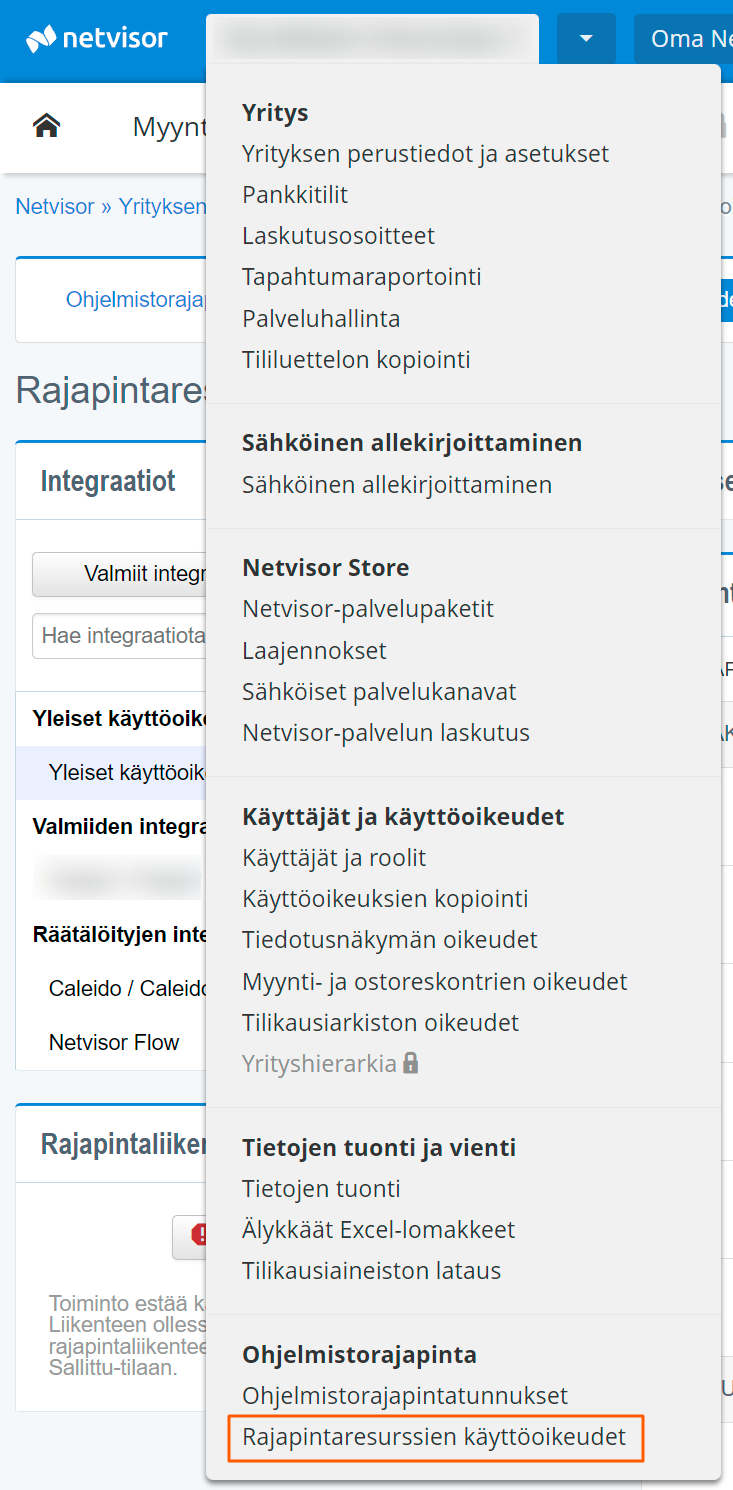
2
Find the Caleido integration
- Select the Räätälöidyt integraatiot (custom integrations) tab.
- Paste the Caleido integration key into the search field and click Hae (search). You get the key from your Caleido contact.
- Caleido / Caleido Oy appears in the list.
3
Allow the integration
Switch the toggle at the top right to Integraatio sallittu (integration allowed).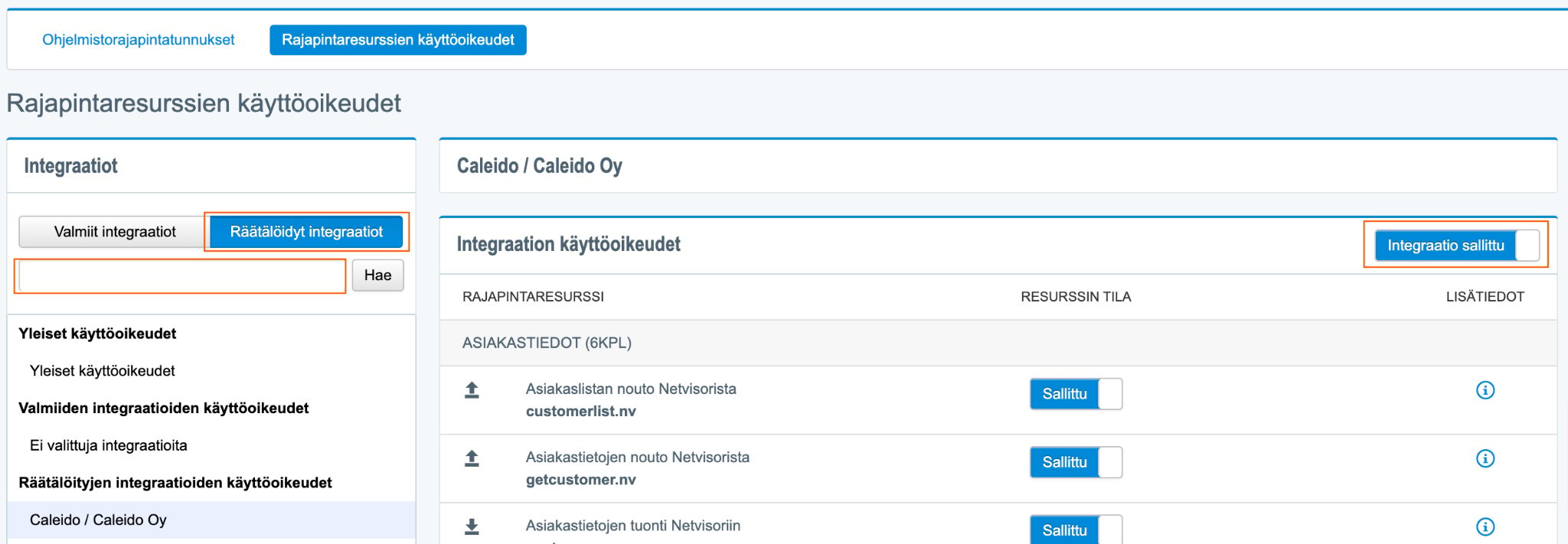
Choose which data Caleido may read
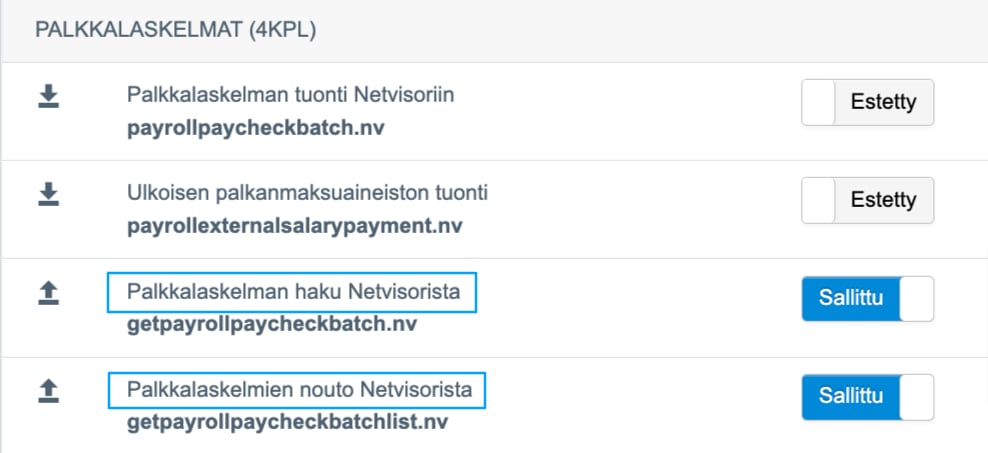
The list below the toggle shows Netvisor’s interface resources. Each one is Sallittu (allowed) or Estetty (blocked).- Keep all retrieval resources allowed. They are marked with an upward arrow. Caleido then gets the most complete data for management reporting
- You can block all import resources (marked with a downward arrow, for example Asiakastietojen tuonti Netvisoriin). Caleido never writes data into Netvisor
Payslips per employee
To bring payslips per employee into Caleido, allow both of these resources:- Palkkalaskelman haku Netvisorista (get payslip from Netvisor)
- Palkkalaskelmien nouto Netvisorista (fetch payslips from Netvisor)
Payslips per employee can only be brought into Caleido when salaries are calculated in Netvisor. Salaries calculated in another payroll system arrive in Netvisor as a single summary voucher, so there are no payslips to fetch.
Create the API credentials
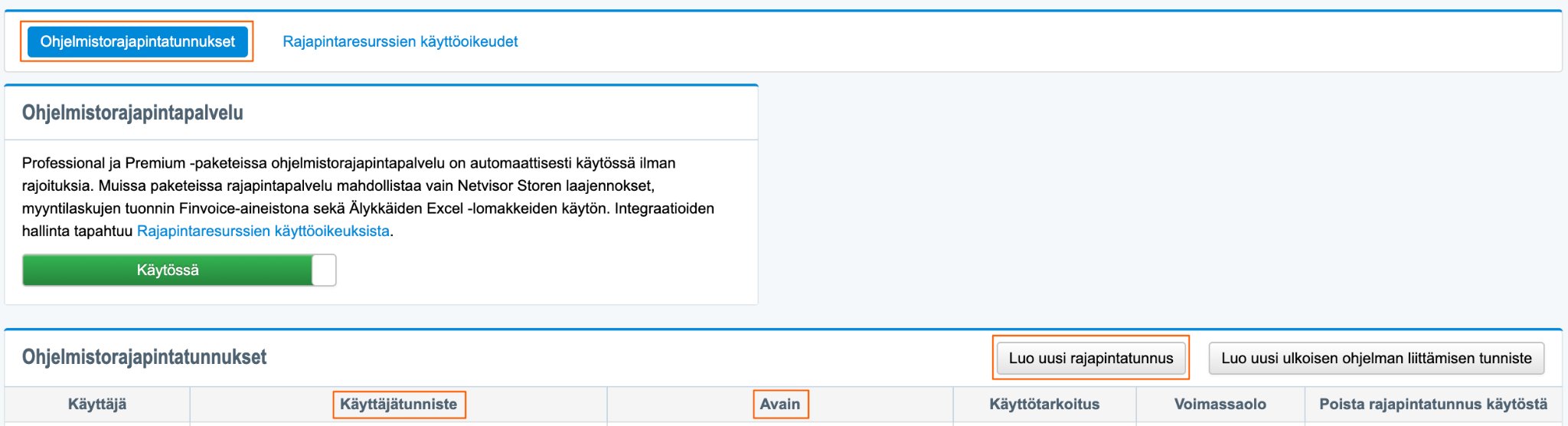
- Select the Ohjelmistorajapintatunnukset (software interface credentials) tab.
- Click Luo uusi rajapintatunnus (create new interface credential).
- Netvisor creates a Käyttäjätunniste (user identifier) and an Avain (key).